
On this page
- The 12 Best Spanish Learning Apps Compared
- Which Spanish Does Each App Teach?
- The Best Apps to Learn Spanish, One by One
- Can You Learn Spanish for Free With Apps?
- Which Two Spanish Apps Work Best Together?
- How Can You Pay Less for a Spanish App?
- How to Choose the Right Spanish App for Your Goal
- Are Apps Enough to Become Fluent in Spanish?
- What Mistakes Do People Make With Spanish Apps?
- Spanish Learning App FAQs
- Where I’d Start
The best apps to learn Spanish in 2026 are Babbel if you want lessons that explain the grammar, Duolingo if you won’t pay anything, and Pimsleur if you learn best by listening and answering out loud. Most people need one of those three as a main app, plus one free extra that covers whatever the main app skips.
Before you download anything, check which Spanish the app teaches. About a quarter of the world’s 519 million native Spanish speakers live in Mexico, according to the Instituto Cervantes 2025 yearbook, and 44.9 million people in the US speak Spanish at home. If you live in the States, Latin American Spanish is what you’ll hear at work, at the grocery store and on the phone with your kid’s school. Some apps let you pick your version. A few never say which one you’re getting.
I’ve chosen 12 apps, each for a different kind of learner. The prices below are what the companies and the US App Store listed in October 2026, and every pick comes with its biggest weakness, because every one of them has one.
Short on time? Most people only need one of these four.
Best paid all-rounder
Babbel
Grammar explained in English, with a Mexican Spanish course to choose.
About $83 to $108 a year
Best free app
Duolingo
The whole Spanish course is free, with ads and an energy meter.
Free
Best for speaking
Pimsleur
30-minute audio lessons that you answer out loud, even in the car.
$19.99 a month, 7-day trial
Best for real, fast Spanish
Dreaming Spanish
Videos of native speakers, sorted from very easy to advanced.
Free to start, $8 a month
The 12 Best Spanish Learning Apps Compared
Here are all 12 apps side by side. “Free version” means what you can keep using without paying, not a trial that turns into a bill.
| App and best for | Free version | Paid price (US) | Link |
|---|---|---|---|
| BabbelAdults who want structure | Lesson one of every course | About $83 to $108 a year | Visit |
| DuolingoA free daily habit | The whole course, with ads | Super from $83.99 a year | Visit |
| PimsleurSpeaking and commutes | 7-day trial | $19.99 a month | Visit |
| Dreaming SpanishListening | A selection of videos | $8 a month on the web | Visit |
| BusuuNative speaker feedback | Limited account | $70 to $139 a year | Visit |
| MemriseEveryday vocabulary | Limited lessons, with ads | From $61.99 a year | Visit |
| SpanishDictVerbs and grammar | Dictionary, lessons and drills | Premium $59.99 a year | Visit |
| Language TransferHow Spanish fits together | Everything | Free | Visit |
| italkiLive conversation | None | $4 to $60 an hour | Visit |
| LingopieTV and movies | 8 minutes a week | $59.99 to $83.99 a year | Visit |
| Rosetta StoneLearning through pictures | None | $159 a year | Visit |
| Rocket SpanishPaying once | Free trial, no card | $149.95 for Level 1 | Visit |
Which Spanish Does Each App Teach?
Spanish from Spain and Latin American Spanish are one language, and a speaker from Madrid and a speaker from Mexico City understand each other without trouble. The differences you’ll notice as a learner come down to three things. Spain uses vosotros for “you all,” while Latin America uses ustedes. Much of Spain pronounces the soft c and the z like the English “th.” And everyday words shift, so a car is a coche in Spain and usually a carro in Mexico.
For a learner in the US, I’d start with Latin American Spanish unless you’re moving to Spain or studying there. You’ll hear it far more often, and you can pick up vosotros later in an afternoon. Here’s what each app actually teaches, pulled from the companies’ own pages and listings:
| App | Spanish it teaches | Speaking practice |
|---|---|---|
| Babbel | You choose: Mexican or European | Speech recognition exercises |
| Duolingo | Latin American leaning; it teaches ustedes, not vosotros | Speaking exercises in lessons |
| Pimsleur | “Educated Latin American Spanish,” with a separate Castilian series | Every lesson; Voice Coach feedback |
| Rosetta Stone | You choose: Latin America or Spain | TruAccent speech recognition |
| Memrise | A dedicated Spanish (Mexico) course, plus a general Spanish course | AI conversation partners |
| SpanishDict | Latin American or Spain accent in lessons (Premium), with vos and vosotros drills | Speaking questions (Premium, Chrome and Android) |
| Dreaming Spanish | Native speakers from many countries; filter videos by country | None by design |
| italki | Whatever your tutor speaks, so you pick the country | Live, with a person |
| Lingopie | Depends on the show you watch | Limited |
| Busuu | Busuu’s help center doesn’t say | Recordings corrected by native speakers |
| Rocket Spanish | Not stated; role-play scenarios are set in Mexico | Voice recognition drills |
| Language Transfer | Not tied to a region; it focuses on structure | You answer aloud, with no feedback |
Don’t overthink this part. A Mexican course won’t leave you lost in Seville, and plenty of learners switch accents later by changing what they watch. The choice matters most for heritage learners who want to sound like their family, and for anyone with a move abroad already booked.
The Best Apps to Learn Spanish, One by One
1. Babbel: Best Paid App for Adults Who Want Structure
- Best for
- Adults who want grammar explained
- Price
- About $83 to $108 a year
- Free version
- Lesson one of every course
- Watch out for
- Thins out past lower intermediate
Visit Babbel Opens babbel.com
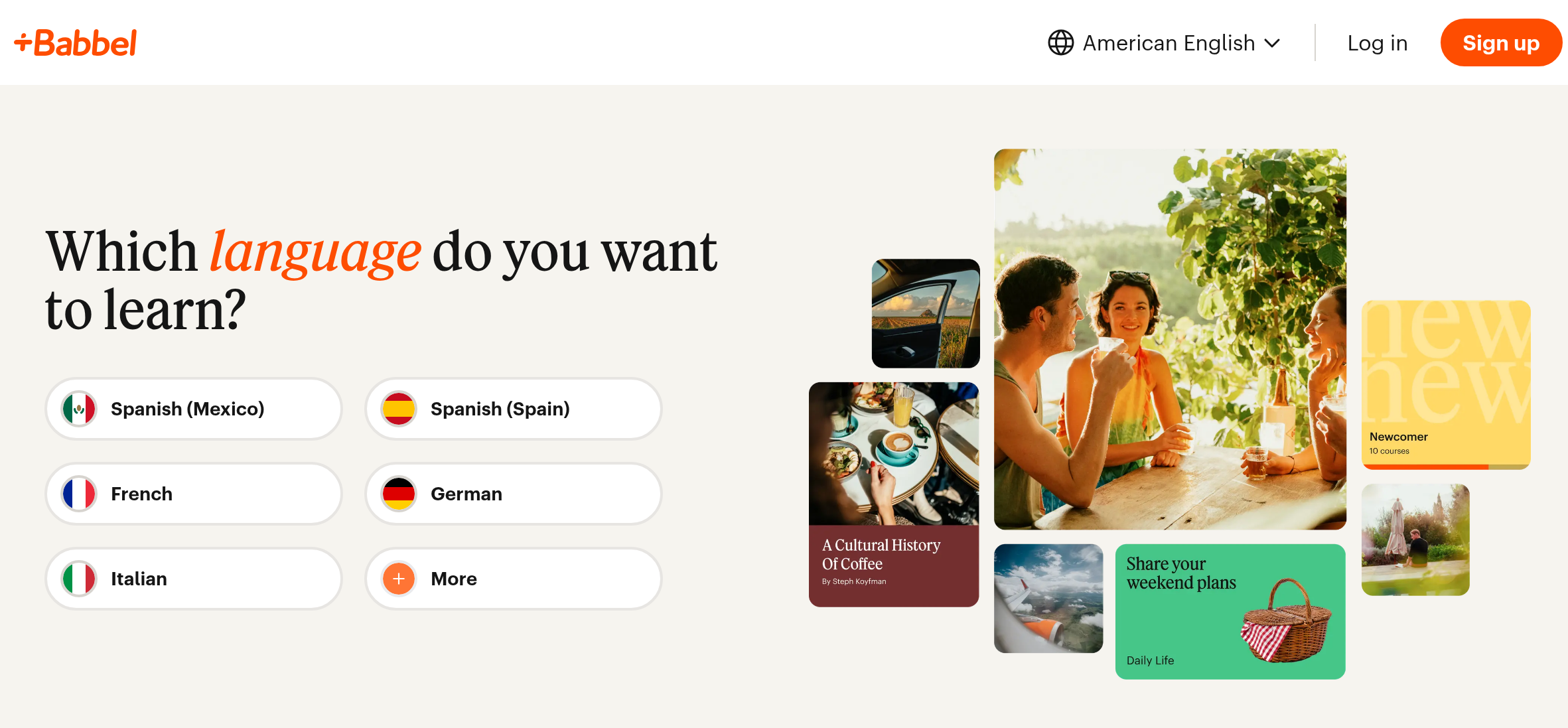
Babbel is a subscription course that teaches Spanish through short dialogues, with the grammar explained in English as you go. It’s the app I’d pick for most adult beginners who are willing to pay. When you sign up, you choose between Spanish (Mexico) and Spanish (Spain).
A one-month plan is listed at $15.99 on the US App Store, but almost nobody should buy it that way. The 12-month plan works out to about $83 to $108 a year, depending on the sale, which is about what four or five months of Pimsleur Spanish would cost. Lessons take 10 to 15 minutes, and they ask you to build sentences yourself instead of only tapping the right answer.
Long-term Babbel users commonly say the course carries them comfortably to a lower intermediate level and then thins out. The exercises also start to feel repetitive after a few months. The biggest drawback, though, is the paywall: only lesson one of every course is free, so you can’t properly try it before you pay.
2. Duolingo: Best Free App for Building a Daily Habit
- Best for
- A free daily habit
- Price
- Free; Super from $83.99 a year
- Free version
- The whole course, with ads
- Watch out for
- Light on grammar and real listening
Visit Duolingo Opens duolingo.com
Duolingo is the best free app to learn Spanish, mainly because the entire course is free and its streaks get you to open it every day. The Spanish course leans Latin American. Duolingo’s own blog explains that it teaches ustedes and skips vosotros, since far more Spanish dialects use ustedes.
Free accounts come with ads and an energy meter that limits how many lessons you can do in a row. Super Duolingo removes both. The US App Store lists it at $9.99 to $12.99 a month or $83.99 to $119.99 a year, depending on the offer you’re shown.
The weakness shows up later. Learners with long streaks often say they can read Duolingo sentences easily but freeze when a real person speaks to them at normal speed. Grammar mostly comes from spotting patterns, with few clear explanations. My take: use Duolingo for the habit and for vocabulary, and pair it with something that gives you real listening.
3. Pimsleur: Best for Speaking Out Loud, Even in the Car
- Best for
- Speaking out loud, commutes
- Price
- $19.99 a month; All Access from $131.99 a year
- Free version
- 7-day All Access trial
- Watch out for
- Slow pace, little reading early on
Visit Pimsleur Opens pimsleur.com
Pimsleur is an audio course in which a narrator asks you to say something in Spanish, pauses so you can answer, and then plays a native speaker saying it correctly. That loop makes it the best app here for getting your mouth used to Spanish. It teaches what the company calls “an educated Latin American Spanish,” and there’s also a separate Castilian series for Spain.
Each level has 30 lessons of about 30 minutes, which adds up to roughly 15 hours of audio per level. The app works offline and runs hands-free through Apple CarPlay and Android Auto, so a daily commute turns into a lesson. There’s also reading practice, flashcards and a Voice Coach that scores your pronunciation.
Watch the pricing closely here. The US App Store lists Spanish Premium at $19.99 a month and All Access at $131.99 to $164.99 a year. Twelve months of Spanish Premium comes to $239.88, so the annual All Access plan, which includes every language, costs less than a year of Spanish alone. Pimsleur’s website also offers a 7-day free trial on All Access.
The honest drawback is pace. Pimsleur covers less vocabulary per hour than most apps, and reading comes in slowly. If you want to know why a sentence works the way it does, you’ll get more from Babbel.
4. Dreaming Spanish: Best for Understanding Native Speakers
- Best for
- Understanding fast, real Spanish
- Price
- $8 a month on the web
- Free version
- A selection of free videos
- Watch out for
- No speaking or grammar practice
Visit Dreaming Spanish Opens dreaming.com
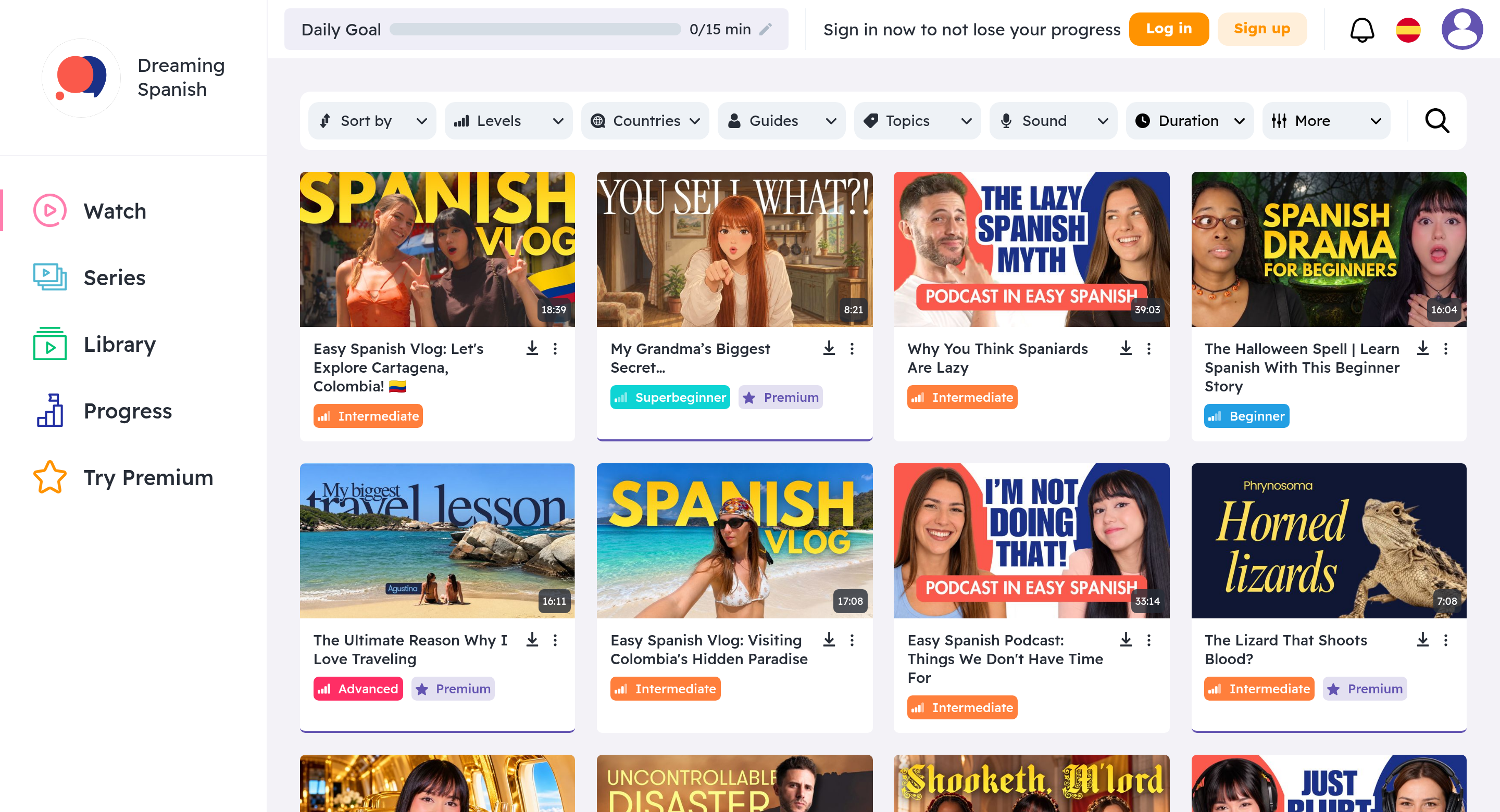
Dreaming Spanish is a video library that teaches through comprehensible input. You watch native speakers talk about everyday things at a level you can mostly follow, and you pick up the language from context instead of drills. It has no vocabulary lists and no grammar lessons. If your problem is that real Spanish sounds like one long word, this is the app that fixes it.
Videos are sorted from Superbeginner to Advanced, and a country filter lets you choose whose accent you hear. The company’s roadmap measures progress in hours watched, with milestones running from 50 hours up to 1,500, according to a July 2026 review. That review lists Premium at $8 a month on the web, while the iPhone app charges $9.99. If you’re going to pay, subscribe on the website and save about $24 a year.
The catch is patience. The earliest videos are slow and simple on purpose, and the method asks you to hold off on speaking for a long time. Learners who stick with it tend to rave about it. Learners who want to chat with a waiter next month usually find it too slow on its own.
5. Busuu: Best for Getting Corrected by Native Speakers
- Best for
- Corrections from native speakers
- Price
- $70 to $139 a year
- Free version
- Limited free account
- Watch out for
- Correction quality varies
Visit Busuu Opens busuu.com
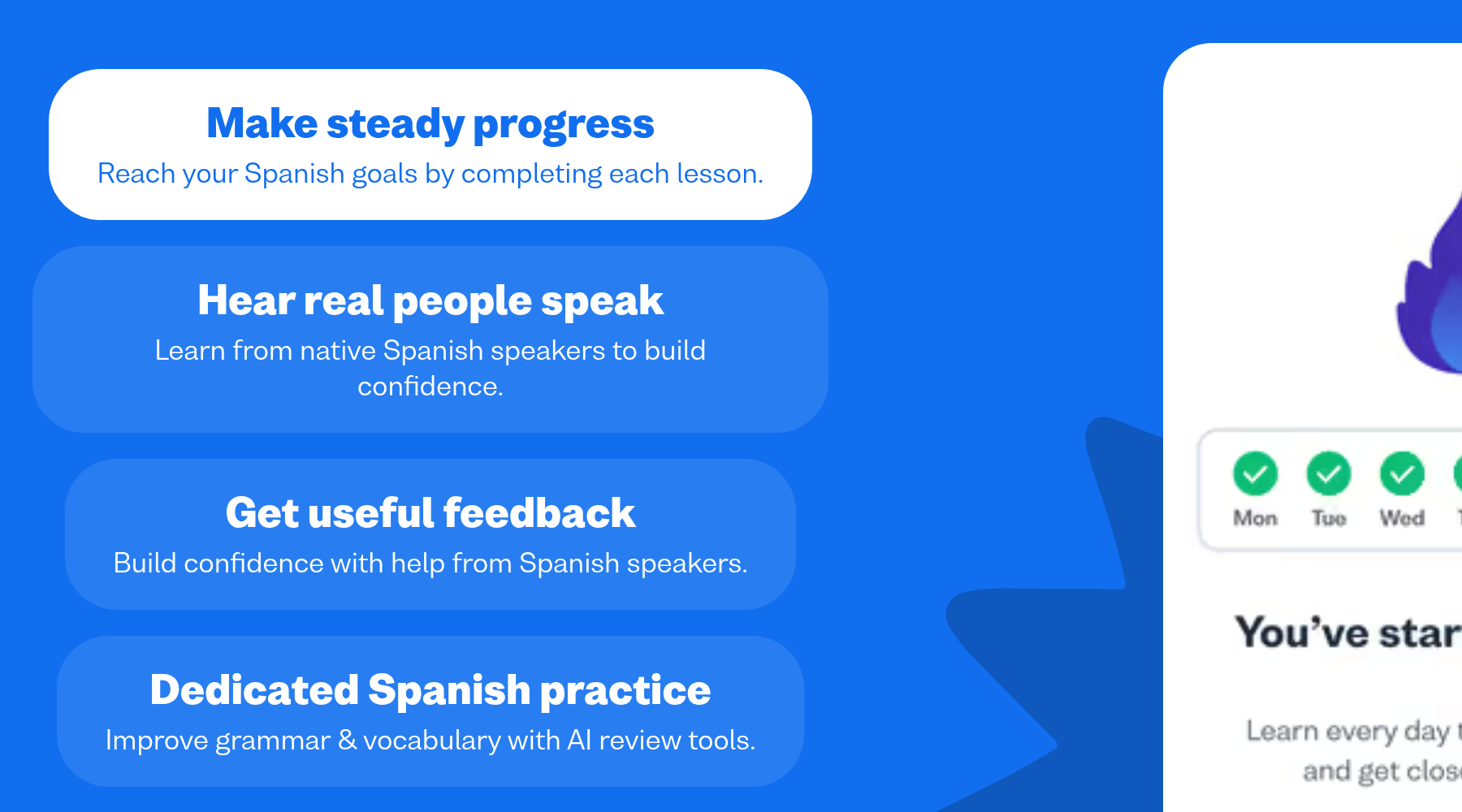
Busuu is a structured course built on the Common European Framework of Reference (CEFR), the scale that runs from A1 for beginners to C2 for near-native speakers. Its standout feature is the community. You can submit writing and speaking exercises, and native speakers on the app correct them. No other app on this list gives you human feedback at this price.
Pricing is all over the place. The US App Store listing shows monthly plans from $6.99 to $23.49 and yearly plans from $70 to $139, depending on the tier and the offer. The app holds a 4.7 rating from about 101,000 reviews.
Two things hold Busuu back. The corrections come from volunteers, so their quality depends on who happens to answer. And Busuu doesn’t say which variety of Spanish its course follows, which is an odd gap for a paid course.
6. Memrise: Best for Vocabulary You’ll Hear in Real Life
- Best for
- Everyday vocabulary
- Price
- Pro from $61.99 a year
- Free version
- Limited lessons, with ads
- Watch out for
- Grammar is barely explained
Visit Memrise Opens memrise.com
Memrise is a vocabulary app that teaches words and phrases through short clips of real native speakers instead of computer voices. Its Spanish (Mexico) course lists more than 700 lessons, 7,000 words, 500 native speaker videos and 75 AI conversations for speaking practice.
- Price: the US App Store shows Annual Pro at $61.99, with offers from $58.99 to $79.99. Lifetime plans range from $98.99 on offer to $329.99 at full price.
- Rating: 4.8 from about 218,000 App Store reviews.
- Free plan: limited lessons and videos, with ads.
Memrise is a strong second app and a weak first one. Grammar barely gets explained, so you end up knowing many useful phrases without knowing how to change them. Skip the $24.99 monthly plan entirely. If Memrise works for you, the annual or a discounted lifetime plan is far better value.
7. SpanishDict: Best Free Grammar Reference and Verb Drills
- Best for
- Verb drills and grammar lookups
- Price
- Free; Premium $59.99 a year
- Free version
- Dictionary, lessons and drills
- Watch out for
- Not a full course
Visit SpanishDict Opens spanishdict.com
SpanishDict is the dictionary and translator many US Spanish students already keep open in a browser tab, and its app adds lessons and conjugation drills. It’s the best free tool for the part of Spanish that apps like Duolingo skip: why a verb ends the way it does.
Most of it is free. Premium costs $12.99 a month, $39.99 for six months or $59.99 a year, with a 7-day free trial. According to SpanishDict’s help center, Premium adds an ad-free experience, a Writing Coach that checks your Spanish, a choice of Latin American or Spain accent in lessons, and vos and vosotros in the conjugation drills.
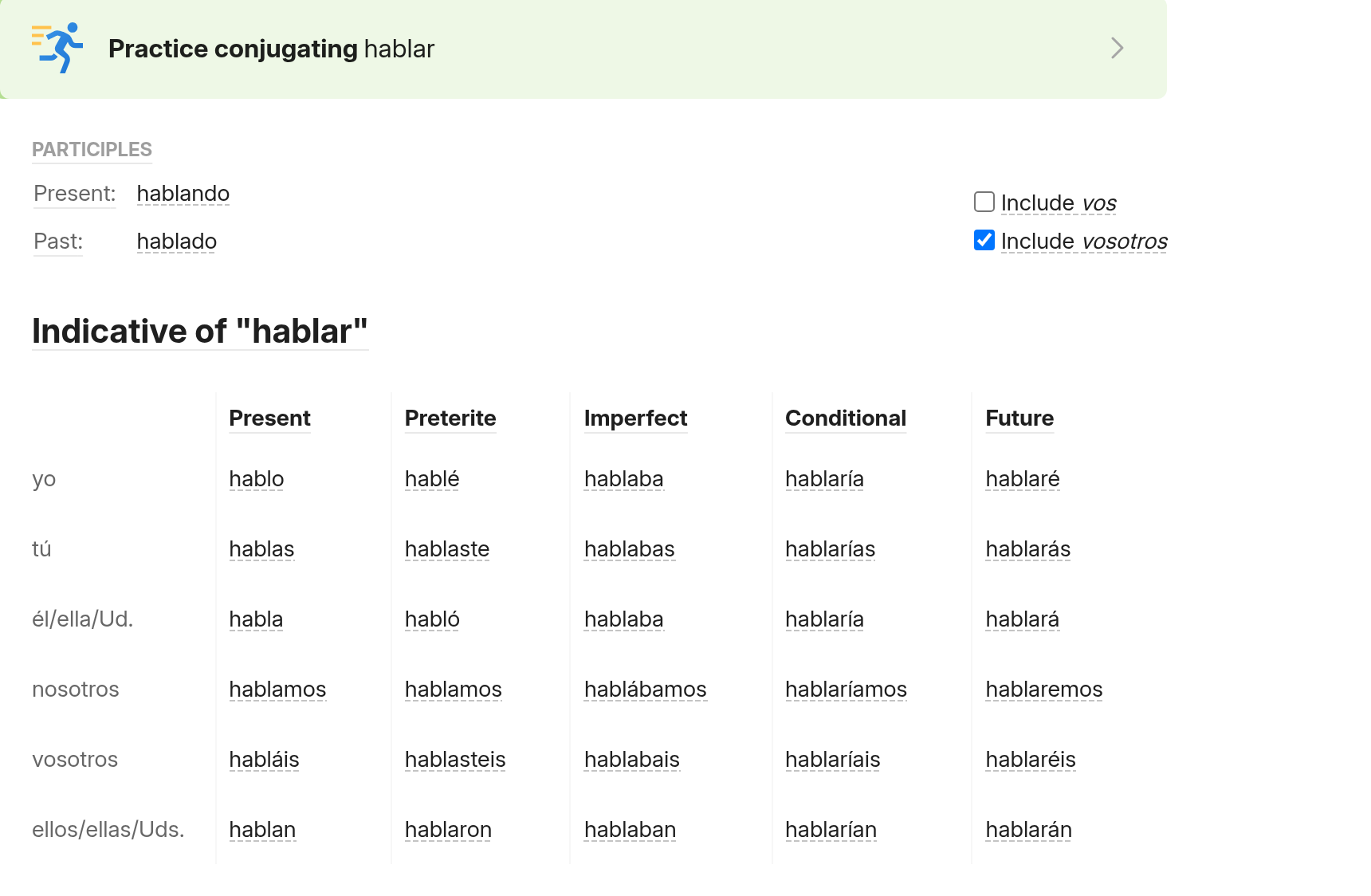
SpanishDict isn’t a full course, and it won’t keep you on a schedule. Treat it as the reference shelf next to your main app, and you’ll get your money’s worth from the free version alone.
8. Language Transfer: Best Free Audio Course
- Best for
- Seeing how Spanish works
- Price
- Free, runs on donations
- Free version
- Everything
- Watch out for
- Audio only, no progress tracking
Visit Language Transfer Opens languagetransfer.org
Language Transfer’s Complete Spanish is a free audio course in which a teacher walks a student through how Spanish sentences are built, one idea at a time. You pause the track, work out the answer in your head, and say it before the student does. Many learners say it’s the first time Spanish grammar made sense to them.
The course is free on the Language Transfer site and app, as well as on YouTube and SoundCloud, and it runs on donations. There’s nothing to unlock and no upsell.
The limits are real, though. Reviewers point to no progress tracking and no conversation practice, and since it’s audio only, you never see how words are spelled. It works best as a free first month before you commit to a paid app, or as something to listen to on walks alongside one.
9. italki: Best for Live Conversation Practice
- Best for
- Live conversation practice
- Price
- $4 to $60 an hour
- Free version
- None; trial lessons from $5
- Watch out for
- Tutor quality varies
Visit italki Opens italki.com
italki is a marketplace where you book one-on-one video lessons with Spanish tutors, and it’s the fastest way to turn app knowledge into real conversation. In October 2026, italki listed 2,336 Spanish tutors, and its own FAQ puts their rates at $4 to $60 an hour, with a typical 30-minute lesson costing $4 to $10.
Because you choose the tutor, you also choose the accent. Want Colombian Spanish for a trip to Medellín, or Mexican Spanish to talk with coworkers? Filter by country. Trial lessons on the first page of tutors ran from $5 to $25.
The downside is that italki is a marketplace, not a course. Tutor quality varies widely, you’ll often need to bring your own plan, and the costs add up if you book weekly. Try two or three tutors with cheap trial lessons before you buy a package.
10. Lingopie: Best for Learning From TV Shows
- Best for
- Learning from TV shows
- Price
- $59.99 to $83.99 a year
- Free version
- 8 minutes a week
- Watch out for
- Too hard for day one
Visit Lingopie Opens lingopie.com
Lingopie is a streaming app for Spanish shows and movies with two sets of subtitles, one in Spanish and one in English. Tap any word for a translation, and it becomes a flashcard you can review later.
The free tier gives you just 8 minutes a week, which is barely enough to try it. Paid plans on the US App Store run $11.99 to $13.99 a month or $59.99 to $83.99 a year, and the app holds a 4.4 rating from about 2,200 reviews.
Lingopie isn’t for day one. Native-speed TV is hard even with subtitles, and true beginners usually end up reading English instead of listening to Spanish. Bring it in once you can follow a Dreaming Spanish beginner video without much trouble.
11. Rosetta Stone: Best for Learning Through Pictures Alone
- Best for
- Visual learners
- Price
- $159 a year or $19.99 a month
- Free version
- No ongoing free tier
- Watch out for
- No English explanations
Visit Rosetta Stone Opens rosettastone.com
Rosetta Stone teaches Spanish through full immersion: pictures, audio and text, with no English explanations at all. Its rebuilt app, Rosetta Stone Sapphire, launched in August 2026 and costs $19.99 a month or $159 a year for all 25 languages, including separate Spanish (Latin America) and Spanish (Spain) courses. TruAccent speech recognition grades your pronunciation in each lesson.
If you’ve read older reviews, note that Rosetta Stone no longer sells lifetime subscriptions. The Classic app is now only for existing subscribers, and the listing gives no upgrade path for people who bought lifetime access years ago.
The immersion method appeals to visual learners, but many adults find it slow and frustrating when they can’t tell why an answer is wrong. At $159 a year, it costs more than Babbel and explains far less.
12. Rocket Spanish: Best One-Time Purchase
- Best for
- Paying once, keeping it for life
- Price
- $149.95 for Level 1
- Free version
- Free trial, no card needed
- Watch out for
- High upfront cost
Visit Rocket Spanish Opens rocketlanguages.com
Rocket Spanish is the pick for people who hate subscriptions. You pay once and keep access for life. The official pricing page lists Level 1 at $149.95, Levels 1 and 2 at $299.90 and the full Levels 1 to 3 bundle at $449.85, which you can also split over six months.
Each level mixes interactive audio lessons, culture notes, grammar and voice recognition drills, and every course comes with a 60-day money-back guarantee. You can also start a free trial without entering a credit card.
The upfront cost is the problem. Level 1 alone costs more than a year of Babbel, so Rocket only pays off if you’re sure you’ll still be studying in year two. Rocket also doesn’t say whether its main course follows Latin American or Spain Spanish, although its role-play series is set in Mexico.
Can You Learn Spanish for Free With Apps?
Yes, you can reach a solid beginner level in Spanish without paying anything. The free combination that covers the most ground is Duolingo for daily vocabulary, Language Transfer for grammar that makes sense, SpanishDict for verbs, and Dreaming Spanish’s free videos for listening.
Most lists miss one free option: your public library. Many US libraries give cardholders free access to Mango Languages, a full course app. The Longmont Public Library in Colorado, for example, offers it free in more than 70 languages. Pimsleur’s audio courses also show up in library catalogs through Libby and OverDrive, so check yours before paying $19.99 a month.
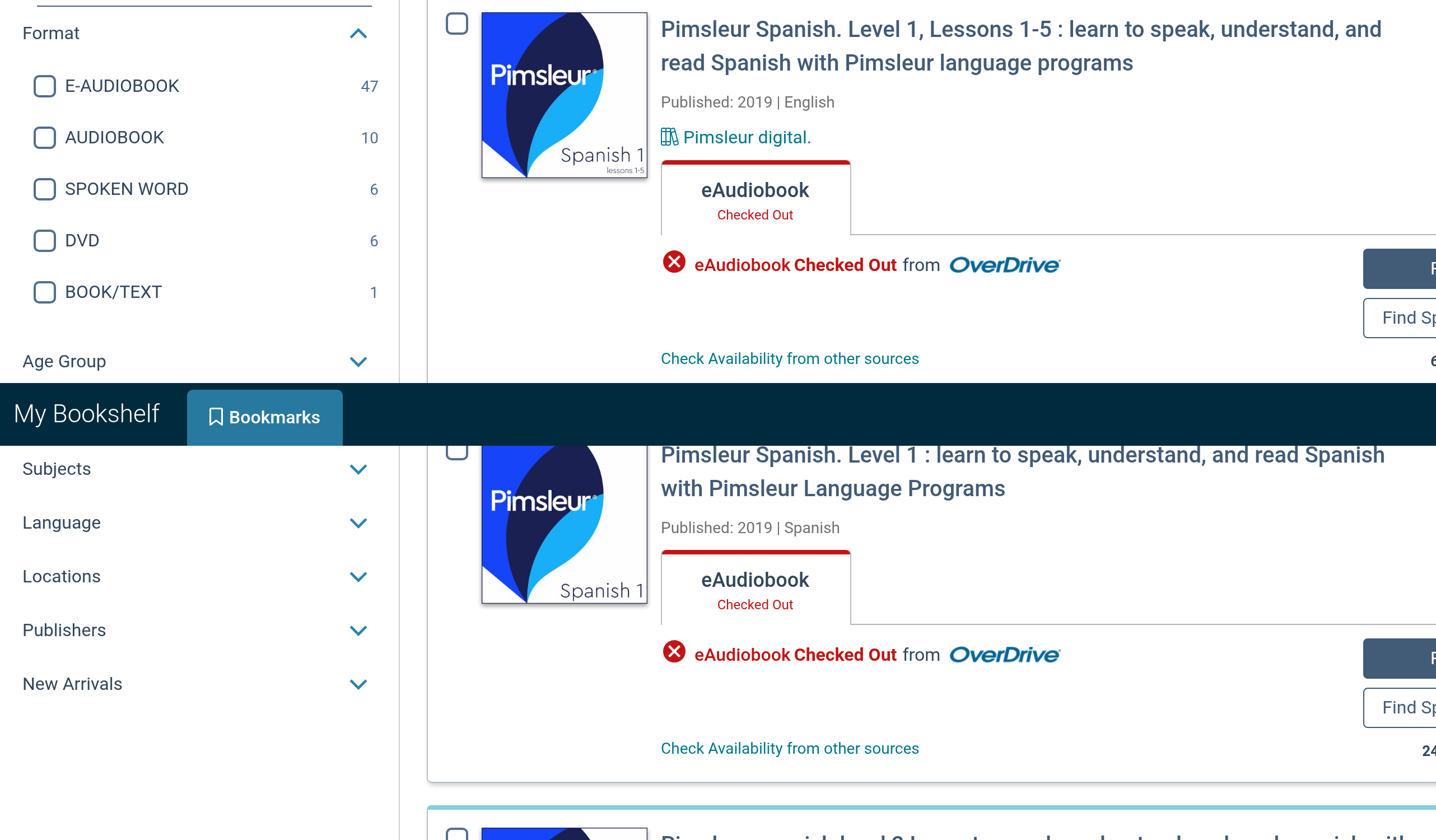
What you can’t get for free is a person correcting you. Free apps will teach you to understand Spanish. They won’t tell you that your r sounds off or that your sentence was grammatical but odd. That’s the first thing worth paying for.
Which Two Spanish Apps Work Best Together?
No single app covers listening, speaking, grammar and vocabulary equally well, so the smartest setup is usually one main app plus one that fills its gap. Here’s what five combinations cost for a year, using the US prices above:
| Combination | What each one does | Cost for 12 months |
|---|---|---|
| Duolingo free + Language Transfer + Dreaming Spanish free | Daily habit, grammar logic, listening | $0 |
| Babbel (12 months) + Dreaming Spanish free | Structured lessons, listening | $83 to $108 |
| Dreaming Spanish Premium (web) + SpanishDict free | Heavy listening, grammar reference | $96 |
| Pimsleur All Access (yearly) + two 30-minute italki lessons a month | Speaking drills, real conversation | $228 to $405 |
| Babbel (12 months) + one 30-minute italki lesson a week | Structure plus weekly speaking | $291 to $628 |
The italki ranges use the typical $4 to $10 price of a 30-minute lesson, so a pricier tutor raises the total. Even at the top of each range, the practice fits around a full-time job, because every piece runs on your phone.
How Can You Pay Less for a Spanish App?
The cheapest way to pay for a Spanish app is to buy a yearly plan on the company’s website once a free trial or free tier has convinced you. The same app can cost very different amounts depending on where and how you pay, and the gaps in October 2026 were big enough to matter.
- Pay yearly, not monthly. Memrise lists $24.99 for a single month and $61.99 for a full year. That’s under three months of the monthly price for twelve months of access.
- Check the website before the app store. Dreaming Spanish Premium is $8 a month on the web and $9.99 through the iPhone app. Apple and Google take a cut, and some companies pass it on to you.
- Compare single-language and all-language plans. Pimsleur’s annual All Access plan ($131.99 to $164.99) costs less than twelve months of Spanish Premium ($239.88), even though it includes every language.
- Use the free stage properly. Duolingo, SpanishDict and Language Transfer are free for good, and Pimsleur, SpanishDict Premium and Rocket Spanish all let you try before paying. Do a full week of lessons during the trial, not one lesson on day one and another on day six.
- Ask your library first. If your library offers Mango Languages or Pimsleur through Libby, you may not need a paid app at all for the first few months.
One warning about lifetime deals: they only save money if you’re still using the app in year three. Rosetta Stone stopped selling lifetime plans altogether, and its lifetime buyers now have to deal with an app change they didn’t choose. Buy a year first, and go lifetime only once you know the app fits.
How to Choose the Right Spanish App for Your Goal
Start with what you need Spanish for, not with which app has the best ads. Pick the line that sounds most like you:
You have a trip in three months.
Babbel for travel conversations, plus Pimsleur in the car if you commute.
You grew up hearing Spanish but never learned it properly.
Dreaming Spanish filtered to your family’s country, plus italki for speaking. Heritage learners often understand more than they think.
You’re moving to Spain.
Babbel’s European Spanish course or Rosetta Stone’s Spain course, plus a tutor from Spain.
You’ve quit every language app you’ve tried.
Duolingo free. Its streaks and reminders exist to stop exactly that.
You’re stuck at intermediate.
Drop the beginner apps. Lingopie, Dreaming Spanish’s intermediate videos and a weekly tutor will move you further than another course.
You want to talk to coworkers or customers.
Pimsleur for speaking reflexes, then italki with a Mexican or Central American tutor.
Are Apps Enough to Become Fluent in Spanish?
No, apps alone won’t make you fluent in Spanish, but they can take you most of the way to comfortable conversation if you use them well. Fluency takes far more listening than most learners expect. Dreaming Spanish’s own roadmap runs to 1,500 hours, while a 10-minute daily app habit adds up to about 61 hours a year.
Speaking is the bigger gap. Speech recognition can tell you whether a word sounded roughly right, but it can’t hold a conversation that goes somewhere unexpected. That’s why every serious learner I’d point to eventually adds a tutor, a language exchange partner or Spanish-speaking friends. Use apps to build the base, and use people to make it usable.
What Mistakes Do People Make With Spanish Apps?
The most common mistake with Spanish apps is treating a long streak as proof of progress. A streak shows that you opened the app. It doesn’t show whether you can follow a Spanish conversation, and those two can drift a long way apart. These are the other traps that show up again and again in learner reviews and forums:
Staying in beginner content too long. Apps feel comfortable because they’re built for you to get most answers right. Once a lesson feels easy, it’s mostly reviewing what you know. Move up to harder listening, such as Dreaming Spanish’s intermediate videos or Lingopie, while it still feels a bit uncomfortable.
Never speaking out loud. Plenty of people do every lesson silently on a train, with the microphone exercises switched off. Then their first real conversation is also their first time saying full sentences aloud. Pimsleur forces the habit. With any other app, say every answer out loud even when the app doesn’t ask you to.
Collecting apps instead of using one. Five apps at 5 minutes each feels productive, but it spreads your time so thin that nothing sticks. Pick one main app and one helper, and give them three months before you judge them.
Skipping the grammar entirely. You can pick up a lot from patterns, but Spanish verbs change for every person and tense, and guessing gets old fast. Ten minutes a week with SpanishDict’s conjugation drills saves you months of half-right sentences.
Waiting to feel ready before talking to a person. Nobody feels ready. A 30-minute trial lesson on italki with a patient tutor will show you exactly what your app hasn’t taught you, and that’s the most useful information you can get after your first few months.
Spanish Learning App FAQs
What is the best app to learn Spanish for beginners?
Babbel is the best paid app for beginners, because it explains grammar in English and builds lessons around real conversations. If you’d rather start free, Duolingo plus Language Transfer is the strongest no-cost start.
What is the best free app to learn Spanish?
Duolingo is the best free app to learn Spanish, because the full course is free. SpanishDict, Language Transfer and Dreaming Spanish’s free videos are the best free add-ons.
Which app is best for learning to speak Spanish?
Pimsleur is the best app for speaking, since every lesson makes you answer out loud. For real conversation, nothing beats a tutor on italki.
Should I learn Latin American or Spain Spanish?
If you live in the US, learn Latin American Spanish. It’s what you’ll hear most. Choose Spain Spanish only if you’re moving to or studying in Spain.
Is Duolingo or Babbel better for Spanish?
Babbel is better if you want to understand the grammar and hold basic conversations sooner. Duolingo is better if you won’t pay or need help building a daily habit.
Is Pimsleur worth the money for Spanish?
Pimsleur is worth it if you’ll use it most days, especially on a commute. Take the annual All Access plan rather than paying $19.99 a month, because it costs less over a year.
Is Rosetta Stone still worth it in 2026?
For most adults, no. At $159 a year it costs more than Babbel, and it explains nothing in English. It suits visual learners who enjoy figuring things out from pictures.
Do any Spanish apps work offline?
Yes. Pimsleur and Busuu both offer offline modes, Dreaming Spanish Premium lets you download videos, and SpanishDict Premium has offline vocabulary quizzes on iPhone.
How much does it cost to learn Spanish with an app?
Anywhere from $0 to about $165 a year if you pay annually, from SpanishDict Premium at $59.99 up to Pimsleur All Access. Paying month to month costs more: Pimsleur Spanish at $19.99 a month comes to $239.88 a year.
Where I’d Start
If you live in the US and you’re starting from zero, get Babbel’s Mexican Spanish course on a 12-month plan and watch one free Dreaming Spanish video every evening. That covers grammar, vocabulary and listening for about $83 to $108 a year. Give it three months, then book a cheap trial lesson on italki and find out what you can actually say.
If paying isn’t an option right now, start with Duolingo and Language Transfer this week, and check whether your library card gets you Mango Languages. And if you drive to work, Pimsleur’s free trial is worth a week of your commute before you decide anything else.
You reached the last module. 3 in 100 do.
Keep going in Languages:
TopicLanguages