
A focused, hands-on platform for data and AI skills, with proctored certifications included in Premium. Data only, and there are no refunds after you cancel.
- Catalog quality 25%7.5
- Learning experience 20%8.5
- Value for money 20%8.0
- Certificates and outcomes 15%6.5
- Apps and usability 10%7.0
- Support and refunds 10%4.0
- Hands-on coding from the first lesson
- Focused catalog that builds logically
- Proctored certifications included in Premium
- DataLab notebook for portfolio projects
- Free Premium for many students and teachers
- Data and AI topics only
- No refunds or proration after you cancel
- Monthly billing is expensive
- Exercises can feel too guided at first
On this page
- What Is DataCamp?
- How Learning on DataCamp Works
- What Can You Learn on DataCamp?
- A Sensible First Route for Aspiring Analysts
- DataCamp Pricing in 2026
- How Fast Do You Need to Study to Save Money?
- Are DataCamp Certifications Worth It?
- DataCamp Pros and Cons
- The Biggest Limitation and How to Work Around It
- DataCamp vs Coursera, Codecademy and Udemy
- Who Should Use DataCamp?
- DataCamp Review FAQs
- Bottom Line on DataCamp
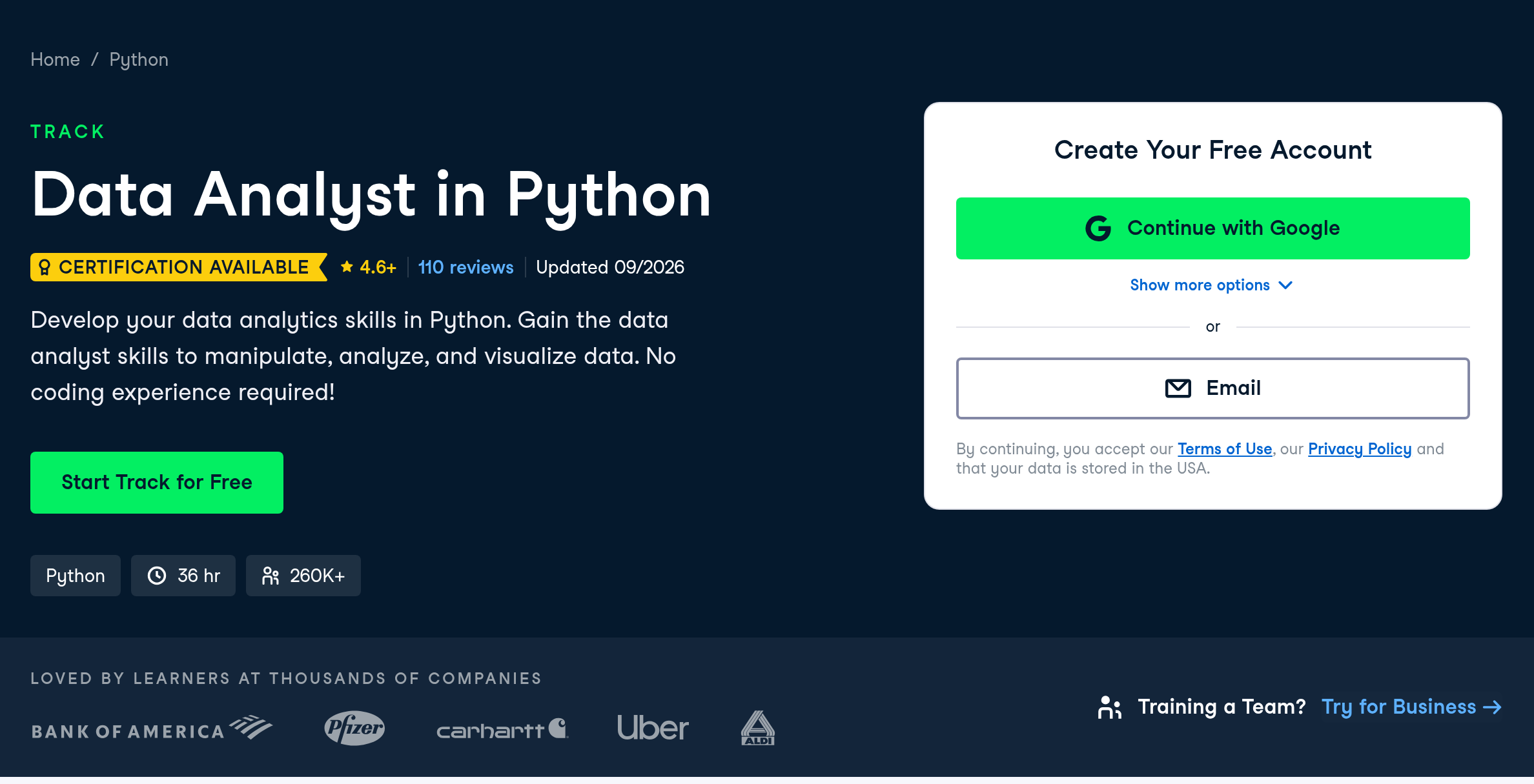
The bottom line of this DataCamp review: if your goal is data analysis, data science or working with AI, it’s one of the most efficient places to build real skills. Every lesson has you writing Python, R or SQL in the browser within minutes, and Premium includes timed, proctored certifications rather than just completion badges. It costs $28 a month on annual billing in 2026. It’s narrowly focused, though. If you want web development, design or general programming, look elsewhere.
- Premium costs $28 a month billed annually ($336 a year), according to DataCamp’s October 2026 pricing note. Month-to-month billing costs $35 a month.
- The free plan includes the first chapter of every course.
- DataCamp lists more than 790 courses, all about data and AI.
- Premium includes exam-based certifications like Data Analyst Associate and SQL Associate.
- DataCamp says it doesn’t refund or prorate unused time after you cancel.
What Is DataCamp?
DataCamp is an online learning platform built only for data and AI skills. Its catalog covers Python, R, SQL, spreadsheets, Power BI, Tableau, statistics, machine learning, data engineering and generative AI. That focus is what sets it apart. Instead of thousands of loosely related courses, you get a tighter library where courses build on each other.
DataCamp reports a 4.6 rating on Trustpilot from 965 reviews and 4.7 on G2 from 713 reviews as of October 2026, which is strong for a subscription learning platform.
How Learning on DataCamp Works
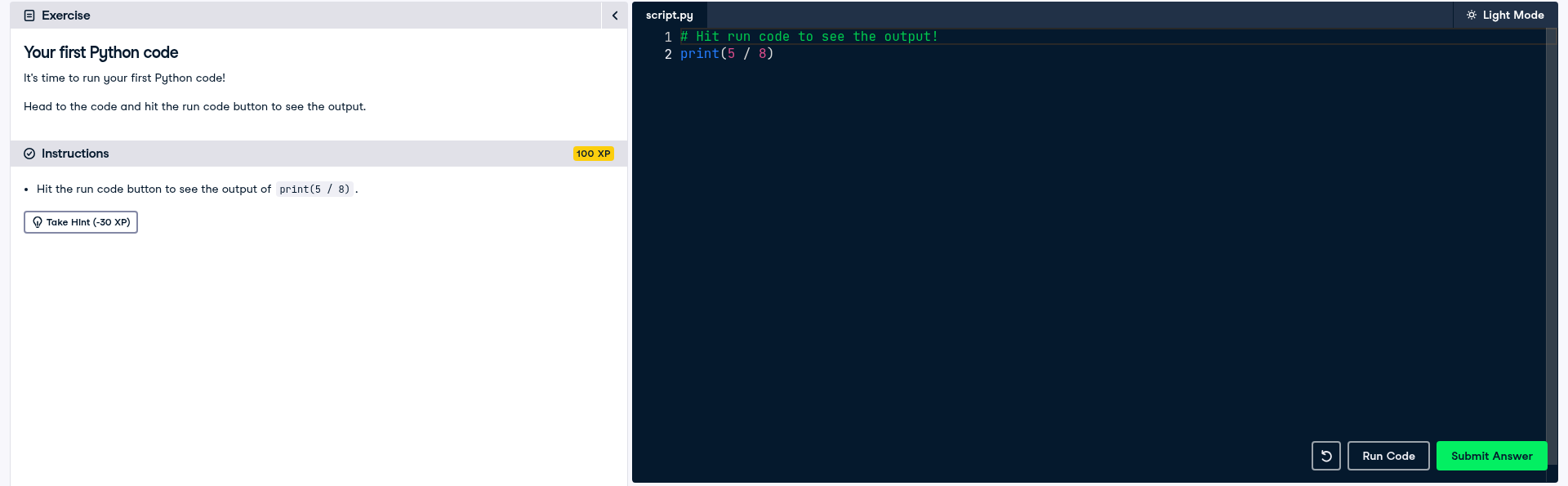
Courses are split into short chapters. Each lesson starts with a brief video, usually a few minutes long, then drops you into an exercise where you write code in a browser editor. You submit, get feedback on what’s wrong and try again. Most of your time goes into writing code, not watching.
Content is organized into three levels:
- Courses teach one topic, such as Introduction to SQL or Intermediate Python.
- Skill tracks bundle several courses around a single skill and take roughly 10 to 50 hours.
- Career tracks prepare you for a role like data analyst or data scientist and run about 60 to 100 hours.
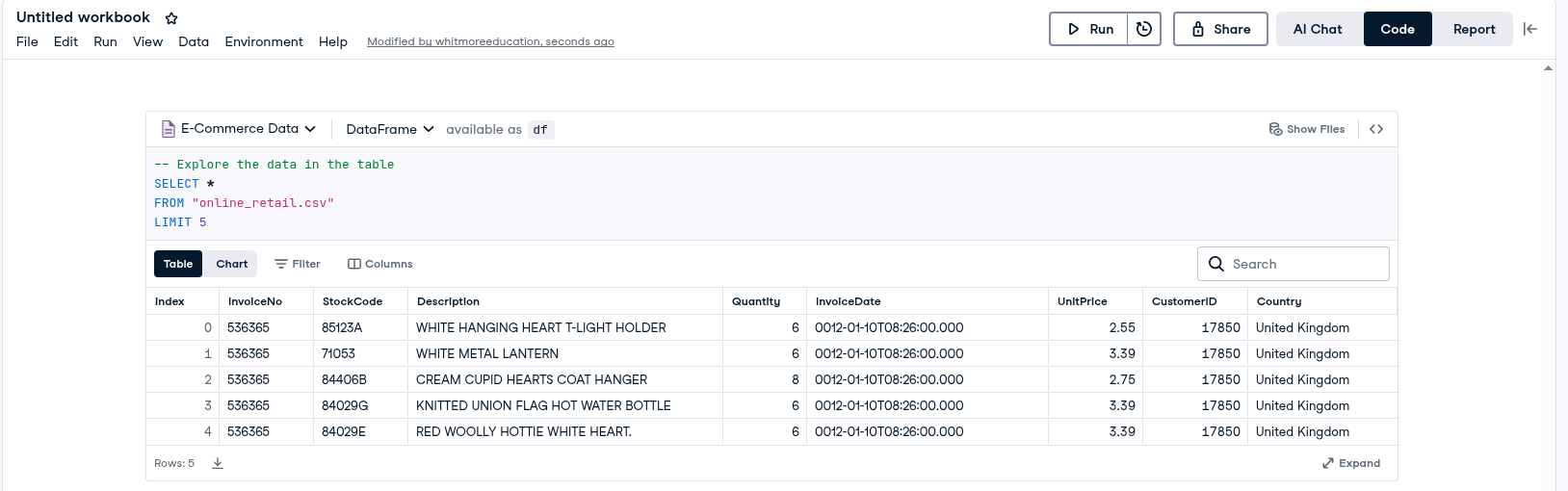
Two newer tools round it out. DataLab is a cloud notebook with AI help where you can work on your own datasets and build portfolio projects, with a free starter version. And DataCamp has added an AI tutor to selected courses, including Introduction to SQL and Introduction to Power BI. It asks about your role, level and goals before a lesson, then adapts examples to fit.
What Can You Learn on DataCamp?
Everything on DataCamp ties back to working with data, but the range inside that is wide. Here’s how the catalog breaks down and how deep each area goes.
| Area | Main tools | Depth |
|---|---|---|
| Data analysis | SQL, Python (pandas), R, Excel, Google Sheets | Deep, from first queries to advanced analysis |
| Business intelligence | Power BI, Tableau | Strong, including PL-300 exam prep |
| Data science and statistics | Python, R, scikit-learn, statistics | Strong up to applied machine learning |
| Data engineering | SQL, Python, Airflow, cloud tools | Good for foundations and pipelines |
| AI and generative AI | LLM APIs, prompt engineering, AI-powered pipelines | Growing quickly, aimed at practical use |
| Cloud | AWS, Azure, Google Cloud basics | Introductory, with certification prep |
A Sensible First Route for Aspiring Analysts
The size of the catalog can make it hard to know where to begin. If your goal is an entry-level analyst job, this order works well for most people and keeps you from jumping around:
- Start with SQL. It’s the most requested skill in analyst job posts and the quickest to become useful at work.
- Add a BI tool. Power BI or Tableau lets you turn query results into dashboards people actually read.
- Learn Python basics and pandas. This opens the door to automation and more advanced analysis.
- Build two projects in DataLab using public data from your target industry.
- Sit the Data Analyst Associate certification once your projects are done, so you have both proof of skill and something to show.
Give it five hours weekly and this route usually takes six to nine months, which also tells you which billing period to pick.
DataCamp Pricing in 2026
Here’s what each plan costs, based on DataCamp’s own pricing breakdown from October 2026:
| Plan | Price | Who it’s for |
|---|---|---|
| Basic | Free | First chapter of every course, plus free tutorials and webinars |
| Premium | $28 a month, billed annually ($336 a year) | Individuals who want the full library, tracks and certifications |
| Teams | About $28 per user a month, billed annually | Small groups with admin tools and progress reports |
| Small Business and Enterprise | Custom quote | Organizations that want company-wide access |
On monthly billing, DataCamp’s pricing page shows Premium at $35 a month for US visitors in November 2026, and it says yearly billing saves $90. DataCamp also runs frequent sales, so check the checkout page before you pay full price. Students and teachers can get Premium free through DataCamp Classrooms, which is worth checking before anyone in education buys a plan.
Plan carefully before you subscribe. DataCamp’s billing help page says it doesn’t refund or prorate unused time once you cancel. Access simply runs out when your current billing cycle ends.
How Fast Do You Need to Study to Save Money?
Since there’s no refund, the right billing choice depends on how quickly you’ll get through the material. We worked out the cost of finishing an 80-hour career track at different weekly paces, using $35 for monthly billing and $336 for a year.
| Hours per week | Time to finish 80 hours | Paying monthly | Paying yearly | Cheaper choice |
|---|---|---|---|---|
| 8 | About 10 weeks | About $105 (3 months) | $336 | Monthly |
| 5 | About 4 months | About $140 | $336 | Monthly |
| 3 | About 6 months | About $210 | $336 | Monthly |
| 2 | About 9 to 10 months | About $315 to $350 | $336 | About even |
| 1 | Over a year | $420 or more | $336 (plus renewal) | Yearly |
Monthly and yearly billing cross over at about eight months. If you can commit to five or more hours a week toward one goal, monthly is cheaper and you can stop when you’re done. If you’ll study a couple of hours a week, want several tracks or plan to sit certifications, the annual plan is the better deal.
Are DataCamp Certifications Worth It?
DataCamp offers two kinds of credentials, and they’re very different.
Certificates of completion come with every course and track. They prove you finished the material. Like most platform certificates, they carry limited weight on their own.
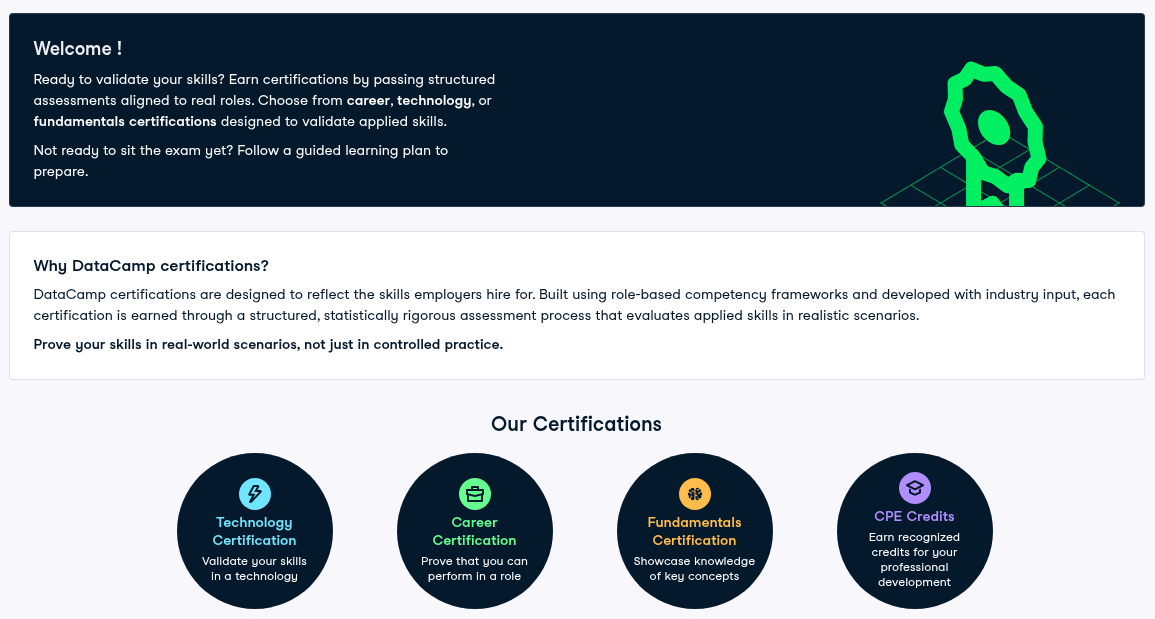
Professional certifications are another matter. These are timed, proctored exams that include a coding test and, for some, a practical case study graded against a rubric. DataCamp lists certifications including Data Analyst Associate, Data Engineer Associate, SQL Associate, Python Developer Associate, AI Engineer for Developers Associate and Data Scientist. Premium includes access to these exams.
They aren’t as widely recognized as degrees or vendor certifications. But because they test what you can actually do, they make a stronger resume line than a completion certificate, especially for entry-level analyst roles. DataCamp also has prep material for industry exams like Microsoft Power BI (PL-300), Azure Fundamentals (AZ-900) and AWS Cloud Practitioner.
DataCamp Pros and Cons
What it does well
- Hands-on coding from the very first lesson
- Focused catalog that builds logically
- Proctored certifications included in Premium
- DataLab notebook for portfolio projects
- Free Premium for many students and teachers
Where it falls short
- Data and AI only, with no web or app development
- No refunds or proration after you cancel
- Monthly billing is expensive
- Bite-size exercises can feel too guided at first
- Thin on advanced, research-level machine learning
The Biggest Limitation and How to Work Around It
Many learners describe the same issue. DataCamp’s exercises often give you most of the code and ask you to fill in a line or two. That’s great for learning syntax quickly, but it can leave you unsure how to start an analysis from a blank file.
The fix is to build projects alongside the courses:
- After each course, take a public dataset from a site like Kaggle or a government data portal and repeat the course’s analysis on it.
- Use DataLab or a local Jupyter notebook so you get used to setting things up yourself.
- Publish two or three finished projects on GitHub before you apply for jobs. Employers will look at these far more closely than at any certificate.
DataCamp vs Coursera, Codecademy and Udemy
| Platform | Best for | Pick it over DataCamp when |
|---|---|---|
| Coursera | University-style courses and company-branded certificates | You want lectures and a widely known credential |
| Codecademy | Interactive coding across web, software and data | You also want web development or general programming |
| Udemy | One-off courses at sale prices | You need a single tool or library and don’t want a subscription |
| DataCamp | Hands-on data and AI practice | Data is your main goal |
Who Should Use DataCamp?
You’re aiming for your first analyst role
DataCamp’s analyst tracks and the Data Analyst Associate certification fit well.
You use Excel at work and want to move into SQL or Python
Start on the free plan, then upgrade for a skill track.
You’re a student or teacher
Check DataCamp Classrooms before paying anything.
You want to build websites or apps
Choose Codecademy or a web development course instead.
You’re already an experienced data scientist
Papers, documentation and specialist courses will teach you more.
DataCamp Review FAQs
Is DataCamp worth paying for?
For data and AI skills, yes. Premium gives you hands-on practice, tracks and certifications for $28 a month on annual billing. Try the free first chapters to check the teaching style suits you.
Will DataCamp help me get hired?
DataCamp can give you job-ready basics and a proctored certification. Most hiring decisions will still depend on your portfolio projects and interviews.
Is DataCamp free?
Partly. The free plan opens the first chapter of every course. Full courses, tracks and certifications need Premium.
Does DataCamp offer refunds?
DataCamp’s help center says it doesn’t refund or prorate unused time after cancellation. Contact support if you think you were charged by mistake.
Should I learn Python or R on DataCamp?
Python, for most people. It’s more widely used in industry and in AI work. R is still popular in academic research, statistics and some healthcare and finance roles.
How long does a DataCamp career track take?
Most career tracks run about 60 to 100 hours. At five hours a week, that’s roughly three to five months.
Is DataCamp good for complete beginners?
Yes. Introductory courses assume no coding experience, and the instant feedback helps you fix mistakes quickly. Start with SQL or Introduction to Python.
Bottom Line on DataCamp
DataCamp is a focused, practical way to learn data and AI skills, and its proctored certifications set it apart from most course libraries. Pay monthly if you’ll study hard for a few months, or yearly if you’ll learn at a steady pace. Pair it with your own projects so the skills hold up outside the browser.
You reached the last module. 3 in 100 do.
Keep going in Learning Platforms:
TopicLearning Platforms